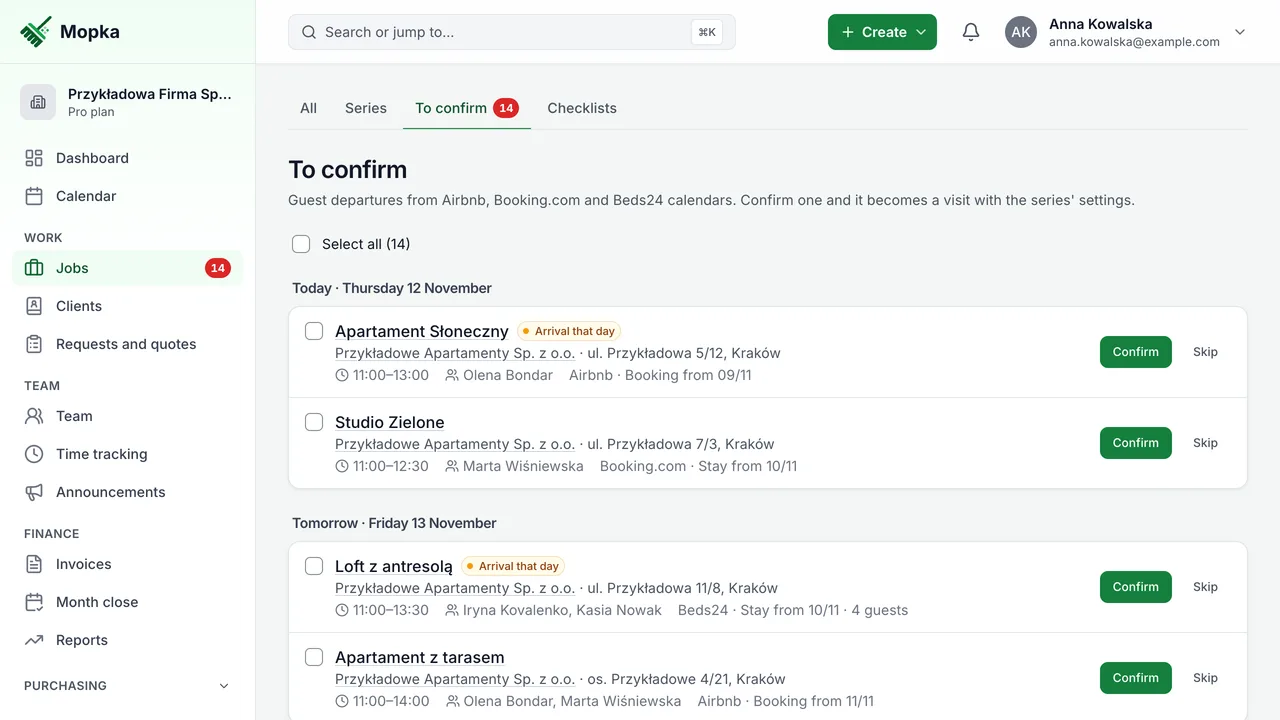
A company that cleans short-term rentals does not plan a week, it plans guest checkouts. Dates come from several owners and several platforms, change from one day to the next, and the cleaning has to fit between checkout and check-in. Mopka reads the Airbnb, Booking.com and Beds24 booking calendars and turns them into the crew's schedule.
How Mopka helps
- An apartment as a series with no fixed rhythm. You set the client, address, hours, crew, price, checklist and required photos once. Further dates come from the calendar, or you add them with “Add dates”.
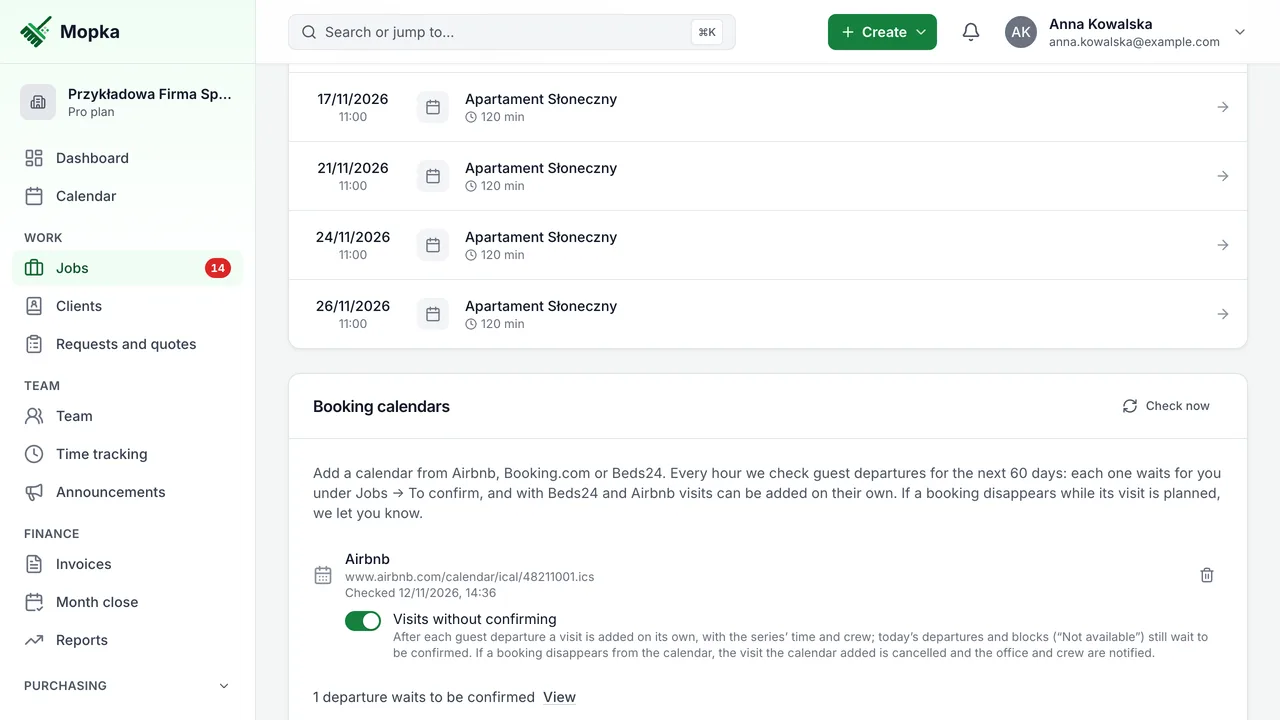
- Booking calendars. Paste the calendar's export link (iCal) from Airbnb, Booking.com or Beds24; one apartment can have several. Every hour Mopka checks guest departures for the next 60 days.
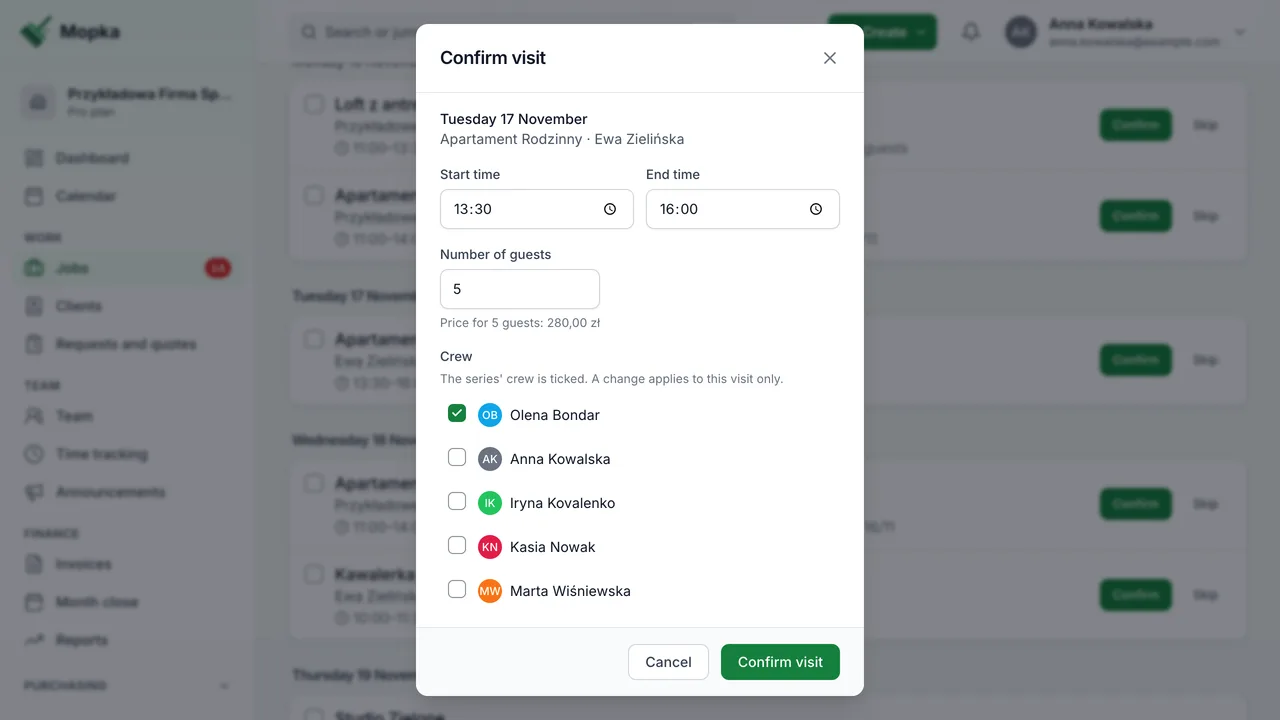
- To confirm, or without confirming. Each departure waits under Jobs → To confirm, with the platform and the guests' arrival day. You confirm several at once, and when you pick the crew you see who has another job at that time. With Airbnb and Beds24 you can turn on “Visits without confirming”: the visit is added on its own and the crew gets a notification. Booking.com, Airbnb blocks and today's departures always wait for the office.
- Arrival that day. A departure followed by new guests on the same day is marked, so the crew finishes before check-in.
- Booking changes. If a booking disappears or changes dates while its visit is planned, the office is notified, push included. A visit the calendar added on its own is cancelled by Mopka, and the crew is told.
- Price by the number of guests. In a series billed per visit you set ranges, e.g. 1–2, 3–4 and 5–6 guests. You type the number of guests when you confirm a departure; once your Beds24 account is connected, it comes on its own.
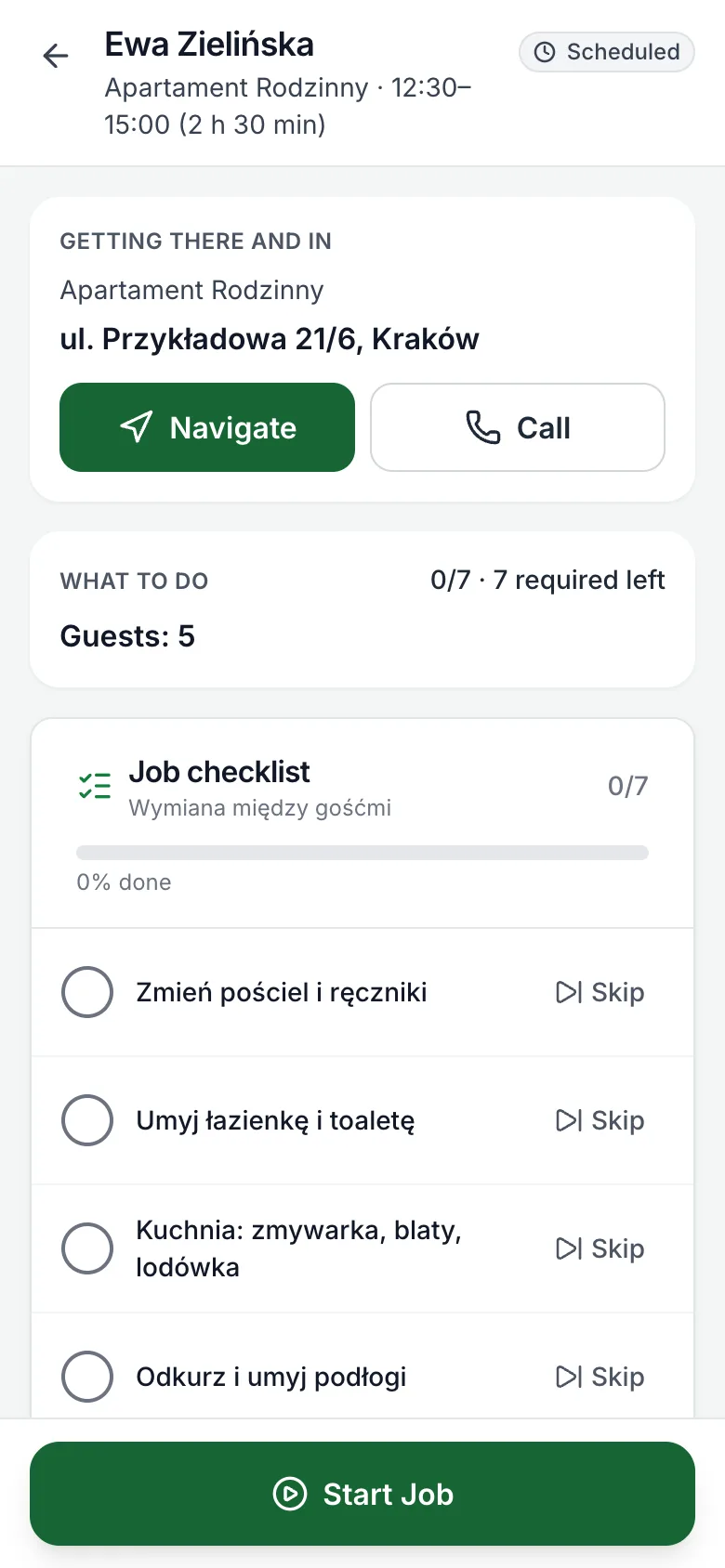
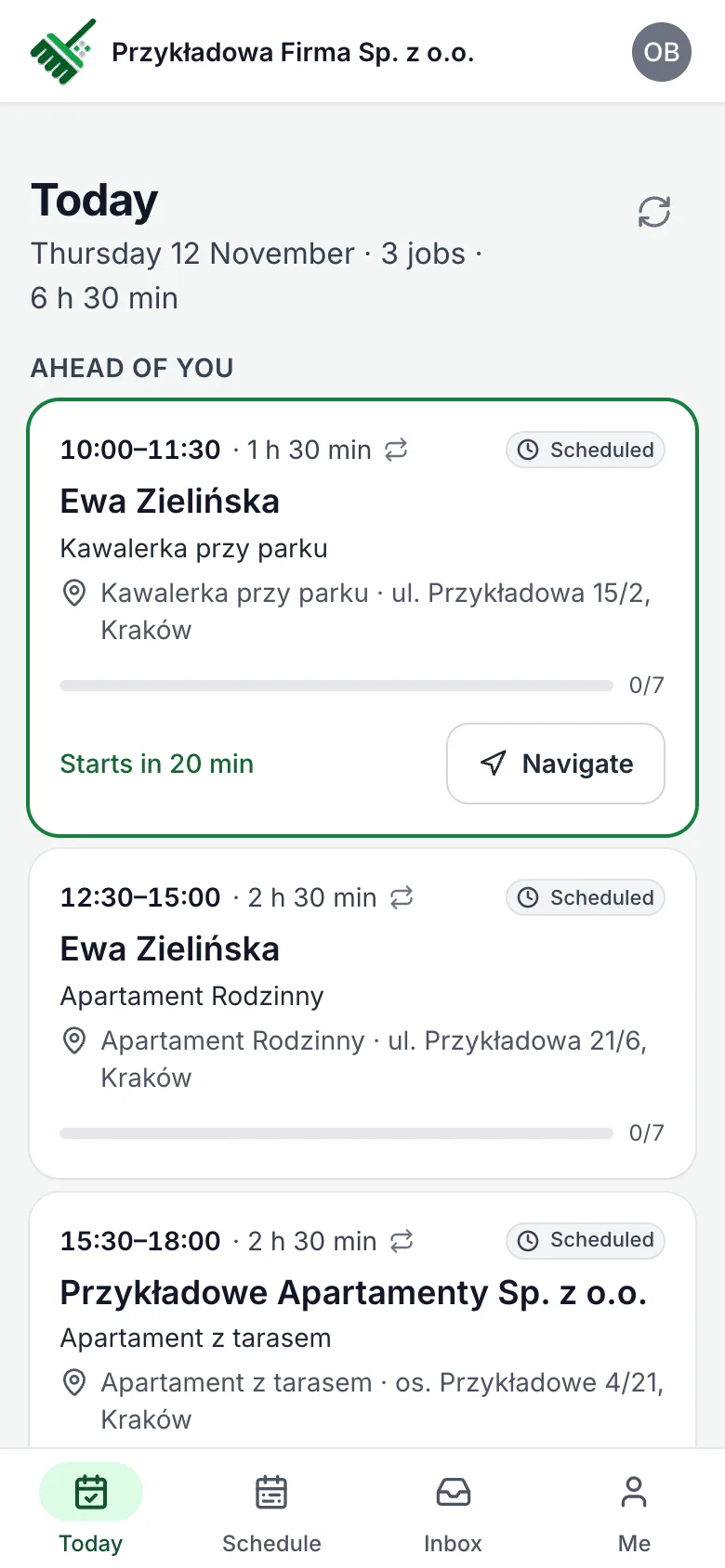
- The crew's phone. Address, time, number of guests, the apartment's checklist and the “after” photos without which the visit cannot be closed. The app speaks Polish, Ukrainian, English and Czech, each person in their own language.
- Pay per apartment. If you pay the crew per apartment rather than per hour, set a fixed crew pay per visit at the address.
- For the owner. The client portal shows visits, photos and invoices, and a month of visits goes on one invoice.
Not there yet
- Other booking systems. Mopka reads links from Airbnb, Booking.com and Beds24. Links from other property management systems do not work yet.
- Guest numbers outside Beds24. Airbnb and Booking.com leave them out of the calendar, so you type them in when confirming. From Beds24 they come only once the account is connected (Settings → Beds24); the iCal link alone does not carry them.
- Linen and laundry. Mopka does not count linen sets or track laundry yet.
Mopka does not manage bookings, nightly rates or guest messages. That stays in Airbnb, Booking.com or the owner's system. If one of the missing pieces matters most to you, write to [email protected].
Pricing
Series, prices by the number of guests, checklists, photos, invoices and the client portal are in every plan, the free one included (up to 3 accounts). Airbnb, Booking.com and Beds24 calendars and text messages to clients come with Starter (99 PLN net a month, up to 10 accounts, 250 text messages and crew pay calculation), and Pro (199 PLN net) has no limit on accounts. You start with 14 days of Pro, no card needed, so you can try the calendars from day one. Companies in Czechia pay in koruna, from 990 Kč net a month. Details are on the pricing page.
FAQ
Where do I find the calendar link?
In Airbnb: Calendar → listing → Availability → Connect calendars. In the Booking.com extranet: Rates & Availability → Sync calendars. In Beds24: the room's iCal export.
Will Mopka change anything in my Airbnb calendar?
No. The link only lets Mopka read the booked dates. It has no access to the owner's account, payments or messages.
We clean for a dozen owners. Does each one need a Mopka account?
No. The owner sends you the calendar link, and in Mopka they are your client. If you want, they get the client portal with visits, photos and invoices.
What if a guest shortens their stay?
The departure day changes and Mopka notices it on the next read. The new departure waits to be confirmed or becomes a visit straight away. A visit the calendar added on its own on the old day is cancelled by Mopka; in the confirming mode the office gets a notification.
Create a free account, add one apartment with its calendar link and see the next guest departures under Jobs → To confirm.